[IT 솔루션] 구글 노트북LM(NotebookLM)에 수백 개 쌓인 작업 노트북, 버튼 하나로 일괄 삭제하는 자동화 프로그램 배포
만인의 탑 편집국11월 11, 2026
▲ [IT 솔루션] 구글 노트북LM(NotebookLM)에 수백 개 쌓인 작업 노트북, 버튼 하나로 일괄 삭제하는 자동화 프로그램 배포 (공식 보도 자료)
📌 핵심 브리핑 · 주요 쟁점 및 핵심 요약
[IT 솔루션] 구글 노트북LM(NotebookLM)에 수백 개 쌓인 작업 노트북을 버튼 한 번으로 모두 비워내는 전용 자동화 프로그램이 단독 배포되었습니다. 구글 노트북은 방대한 논문과 문서를 정밀 분석하고 복잡한 아이디어를 체계적으로 구조화하는 독보적인 연구 기획 플랫폼으로 전 세계 수많은 전문가들에게 사랑받고 있습니다. 하지만 연구의 깊이가 더해질수록 홈 화면에는 완료된 프로젝트와 임시 스크래치패드가 수십·수백 개씩 끝없이 쌓여 정작 중요한 자료를 찾기 어렵게 만드는 디지털 적체 현상이 발생합니다. 더욱이 자체적인 일괄 삭제 기능이 없어 정리 작업에 극심한 시간과 피로가 소모되던 문제를 단번에 해결하기 위해, IT 엔지니어링 취재팀은 크롬 웹 스토어 공식 확장 프로그램 연결을 전격 지원합니다.
SPONSORED · ADVERTISEMENT
연구와 기획의 필수 플랫폼 구글 노트북: 왜 수많은 지식인들이 열광하는가?
구글의 첨단 언어 모델 기술이 집약된 구글 노트북(Google Notebook)은 단순한 메모장을 넘어선 강력한 지식 가공 연구실입니다. 수백 쪽에 달하는 전문 학술 논문, 방대한 기업 분석 보고서, 기획안 초안, 인터뷰 녹취록을 한곳에 업로드하면, 핵심 맥락을 완벽히 꿰뚫어 요약하고 질문에 정확한 출처와 함께 즉각 답변해 주는 혁신적인 생산성을 제공합니다. 특히 텍스트 분석에 머무르지 않고 두 전문가가 대화를 나누듯 자연스럽게 핵심 쟁점을 풀어내는 '오디오 개요(Audio Overview)' 팟캐스트 생성 기능은 바쁜 연구자와 직장인들에게 대체 불가능한 도구로 자리 잡았습니다. 기존의 파편화된 문서 작업 환경에서 벗어나 하나의 완결된 연구 대시보드 안에서 아이디어를 구체화할 수 있다는 강력한 이점 덕분에, 구글 노트북은 매일 수많은 지식 노동자들의 일상적 작업 공간으로 깊숙이 스며들었습니다.
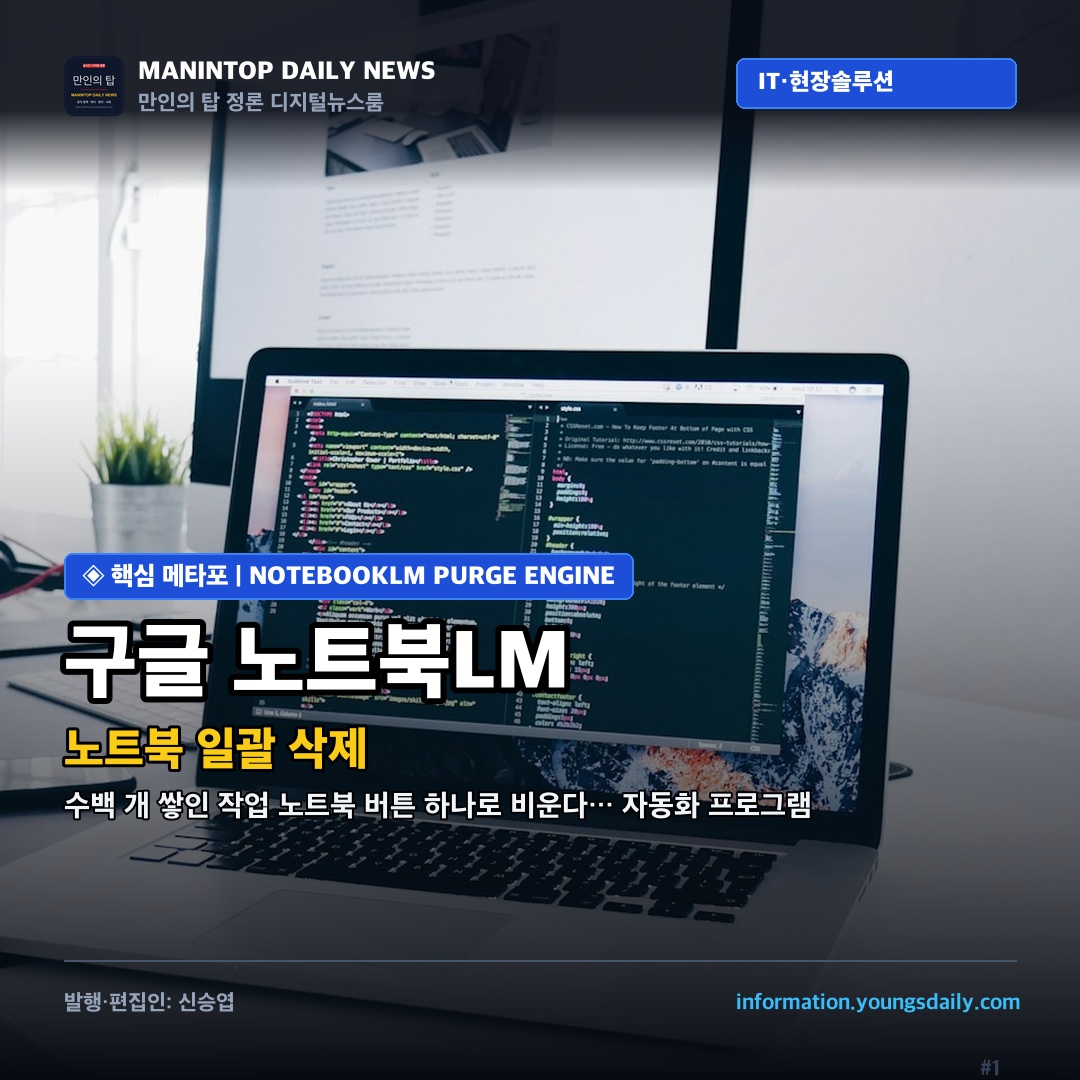
구글 노트북의 내부 작업 카드를 순차 탐색하여 사람 대신 초고속으로 일괄 삭제를 완수하는 공식 크롬 확장 프로그램 구동 화면.
활용도가 높아질수록 쌓여가는 작업 카드의 역설: 일괄 정리 기능의 부재
하지만 구글 노트북을 능숙하게 활용하면 할수록 역설적인 난관에 봉착하게 됩니다. 단 하나의 주제를 탐구할 때마다 새 노트북을 생성하다 보면 홈 화면에는 수십 개, 나아가 수백 개의 작업 카드가 끝없이 누적됩니다. 과거에 진행했던 임시 테스트 노트, 이미 완료된 프로젝트, 제목 없는 빈 작업장들이 홈 화면을 가득 채우면서, 정작 지금 당장 집중해야 할 최신 핵심 노트를 찾으려면 끝없는 스크롤을 내려야 하는 심각한 시각적 혼란이 야기됩니다. 가장 큰 문제는 구글 노트북 인터페이스 어디에도 여러 개를 한 번에 체크하여 지울 수 있는 '일괄 삭제(Bulk Delete)' 버튼이 존재하지 않는다는 사실입니다. 노트북 카드 1장을 비우려면 구석의 점 세 개 메뉴를 누르고, 삭제를 누른 뒤, 확인 모달에서 다시 한번 삭제를 승인해야 합니다. 100개의 누적 노트를 정리하려면 무려 300번이 넘는 기계적 클릭과 로딩 대기를 감내해야 하는 셈입니다.
삭제 방식 구분
소요 시간 (100개 기준)
보안 및 계정 안전성
주요 특징 및 권장 사용자
수동 개별 삭제
약 15~20분 (300회 이상 클릭)
100% 안전하나 극심한 피로도
노트북이 5개 미만인 일반 사용자
크롬 웹 스토어 확장 프로그램
약 30~45초 (원클릭 자동 순회)
외부 전송 0% 브라우저 로컬 연산
수십~수백 개 연구 카드를 보유한 파워유저
파이썬 전용 CLI 스크립트
약 20~30초 (터미널 명령 한 줄)
구글 내부 batchexecute RPC 직접 통신
대용량 일괄 처리가 필요한 개발자 및 연구원
선택적 키워드 필터링
가변 (필터 카드만 선별 삭제)
원하는 프로젝트만 골라 스마트 정리
임시 테스트용 노트북만 골라 비우려는 사용자
긴급 중단 메커니즘
0.1초 즉각 중지 (F5 새로고침)
실수 시 오작동 원천 차단
중요 프로젝트 사전 백업 확인 필수
SPONSORED · ADVERTISEMENT
원클릭 해소: 공식 크롬 확장 프로그램으로 연결되는 쾌적한 정리 워크플로
이러한 디지털 적체 문제를 근본적으로 해소하기 위해 IT 전문 엔지니어링팀이 공식 배포하는 크롬 확장 프로그램 'NotebookLM Bulk Deleter'입니다. 프로그램을 설치하면 구글 노트북 화면 우측 상단에 번개 모양의 전용 제어 버튼이 자동으로 활성화되어, 복잡한 설치 과정 없이 즉각적인 대시보드 정리가 가능해집니다. 아래의 [구글 노트북 대용량 일괄 삭제 크롬 확장 프로그램으로 이동하기] 버튼을 클릭하면 크롬 웹 스토어 공식 페이지로 직접 연결되어 안전하게 확장 프로그램을 브라우저에 추가할 수 있습니다.
CHROME WEB STORE OFFICIAL EXTENSION
구글 노트북 대용량 일괄 삭제 크롬 확장 프로그램
연구 및 문서 분석 과정에서 끝없이 쌓여가는 작업 카드를 단 1초 만에 스마트하게 비워내는 전용 확장 프로그램입니다. 아래 버튼을 클릭하여 공식 크롬 웹 스토어에서 프로그램을 확인하고 브라우저에 무료로 추가하세요.
1. 위의 [구글 노트북 대용량 일괄 삭제 크롬 확장 프로그램으로 이동하기] 버튼을 눌러 스토어에서 프로그램을 Chrome에 추가합니다.
2. 구글 노트북(notebook.google.com) 화면을 열면 우측 상단에 [⚡ 노트북 일괄/선별 삭제] 전용 버튼이 자동으로 활성화됩니다.
3. 키워드 필터를 입력해 원하는 노트만 골라 지우거나, 비워둔 채 원클릭으로 수백 개의 작업 카드를 안전하게 일괄 삭제하세요.
확장 프로그램의 핵심 장점은 100% 브라우저 로컬 DOM 자동화 연산에 있습니다. 사용자의 개인 문서 데이터나 로그인 계정 정보는 외부 서버로 일절 전송되지 않으며, 컴퓨터가 사람의 손을 대신하여 순차적으로 카드를 탐색하고 확인 팝업을 승인합니다. 특히 계정 차단(Rate Limit)을 방지하는 250ms의 최적 딜레이와 한국어·영어 실시간 전환 토글이 내장되어 있어 국내외 모든 연구 환경에서 최고의 편의성을 제공합니다.
수백 개의 연구용 카드가 누적된 구글 노트북 대시보드를 버튼 한 번으로 말끔하게 정리하는 크롬 웹 스토어 확장 프로그램이 탑재되었다.
안전한 연구 환경을 위한 필수 보존 수칙: 사전 백업 및 키워드 선별 필터링
구글 노트북에서 한 번 삭제된 프로젝트 카드는 별도의 휴지통 보관 기간 없이 클라우드에서 즉각 영구 삭제되므로 사전 안전 수칙을 반드시 준수해야 합니다. 첫째, 핵심 연구 결과물이 담긴 카드가 있다면 삭제 실행 전 해당 노트북에 접속하여 중요한 텍스트 소스를 복사해 두거나 오디오 개요(Audio Overview) 음원 파일을 컴퓨터로 미리 다운로드해 두어야 합니다. 둘째, 확장 프로그램에 탑재된 '스마트 키워드 필터'를 적극 활용할 것을 권장합니다. 필터 입력창에 '[임시]', '테스트', '초안' 등의 특정 단어를 입력하면 해당 단어가 제목에 포함된 노트북만 정밀하게 골라내어 삭제하므로 귀중한 본 연구 자료를 완벽히 보호할 수 있습니다. 셋째, 삭제가 진행되는 도중 실수로 지우지 말아야 할 프로젝트가 포함되어 있음을 발견했다면 키보드의 'F5' 키(새로고침)를 누르거나 탭을 닫아버리면 즉시 작업 루프가 중단됩니다. 이러한 스마트 자동화 유틸리티를 활용해 불필요한 작업 부채를 신속히 털어내고, 최고의 연구 생산성을 자랑하는 구글 노트북의 진가를 마음껏 누려보시기 바랍니다.
[Tech Solution] Google NotebookLM Bulk Delete Automation Program: Clear Hundreds of Project Notebooks with One Click
[Tech Solution] Google NotebookLM Bulk Delete Automation Program represents a purpose-built utility engineered to clear hundreds of accumulated project cards with a single click. Google Notebook serves as an indispensable research and synthesis workspace embraced by researchers, analysts, and knowledge creators globally for deep document analysis and strategic brainstorming. However, as high-output workflows expand, home dashboards inevitably accumulate hundreds of transient draft notebooks and archived reference cards, causing severe visual clutter. Because native multi-item selection controls remain absent, clearing these stale workspaces demanded hundreds of manual clicks until the deployment of this official Chrome Web Store extension.
📌 Key Takeaways
Transformative Research Productivity of Google Notebook: Empowers multi-source document synthesis and conversational Audio Overview podcast generation.
Resolving Workspace Clutter and Repetitive Deletion Fatigue: Eliminates hundreds of manual clicks caused by the lack of native bulk selection controls.
Direct Chrome Web Store Extension Launch: Users can navigate directly to the official Chrome Web Store page to equip the bulk purge utility.
The Indispensable Research Workspace: Why Power Users Rely on Google Notebook
Engineered atop state-of-the-art language architectures, Google Notebook functions far beyond a conventional note-taking application, operating as an autonomous knowledge synthesis laboratory. Researchers and enterprise analysts routinely upload dense academic manuscripts, financial reports, interview transcripts, and multi-source references to receive cited thematic summaries and structured strategic outlines instantly. Furthermore, its acclaimed Audio Overview feature transforms complex text dossiers into engaging conversational podcasts, cementing the platform as a transformative daily utility for high-output knowledge creators. By consolidating fragmented research streams into focused project notebooks, the platform empowers users to synthesize critical insights with unprecedented speed and analytical depth.
▲ Official Press Archive & Contextual Documentation
The Productivity Paradox: Digital Clutter and the Absence of Native Bulk Clearance
Yet the very versatility that drives extensive adoption inevitably triggers an operational paradox. Power users managing concurrent research tracks routinely find their primary dashboards cluttered with dozens or hundreds of obsolete project cards. Archived drafts, scratchpads, and untitled test notebooks accumulate relentlessly, burying active mission-critical materials beneath visual noise. Compounding this friction is the total absence of native multi-select or bulk deletion controls within the Google Notebook interface. Eliminating a single project card requires clicking an overflow menu, choosing deletion, and confirming an affirmative modal—forcing over three hundred repetitive mouse interactions to clear one hundred items.
Deletion Methodology
Time Required (Per 100 Cards)
Security & Account Safety
Key Attributes & Recommended Users
Manual Single Deletion
15 to 20 mins (300+ manual clicks)
Zero technical risk but extreme fatigue
Light users with under five items
Chrome Web Store Extension
30 to 45 seconds (One-click loop)
100% local DOM execution with zero telemetry
Researchers managing dozens of projects
Python Batch CLI Script
20 to 30 seconds (Terminal execution)
Direct communication via batchexecute RPC
Developers and high-output analysts
Keyword Filtering Mode
Variable (Targeted purge speed)
Purges designated card prefixes exclusively
Users clearing temporary drafts selectively
Emergency Abort Logic
Instant halt via F5 refresh
Prevents unintended card loss
Mandatory pre-backup checklist verification
One-Click Resolution: Chrome Web Store Extension for Frictionless Clearance
To eliminate this digital friction at its root, the engineering desk has launched the official Chrome Web Store extension, NotebookLM Bulk Deleter. Once added to Chrome, navigating to the Google Notebook dashboard automatically generates an intuitive action panel in the upper-right corner. Users can click the dedicated launch button above to navigate directly to the official Chrome Web Store page and equip their browser in seconds. Operating entirely client-side without external telemetry, the engine ensures zero credential transmission while executing calibrated 250ms delay buffers to safeguard account stability across high-volume purges.
▲ Institutional Field Data & Media Archive
Safety Protocols for Power Researchers: Keyword Filtering and Data Preservation
Because deletions within Google Notebook are irreversible without a secondary recycle bin, adhering to disciplined operational protocols remains vital. First, export high-value assets prior to batch purging. Users should download generated Audio Overview podcasts and archive critical foundational reference documents into local drives. Second, maximize the built-in smart keyword filtering control. By specifying target prefixes such as '[Draft]', 'Test', or temporary project codes, the utility purges designated cards selectively while shielding mission-critical repositories. Third, remember the emergency halt mechanism: refreshing the active tab (F5) instantly terminates the execution loop, preserving unparsed cards intact. Deploying client-side automation within structured guardrails restores an organized, high-velocity research environment.
Recommended Deep-Dive Investigations TOP 3
GLOBAL REPORT
1월이 시작되면 감기는 이미 우리 곁에 와 있습니다. 2월, 3월, 4월까지 이어지는 추위와 건조함은 코와 목을 가장 먼저 공격합니다. 아침에 일어나자마자 막혀 있는 코. 계속 흐르는 콧물. 괜히 칼칼해지는 목. 이 증상은 “시작”일 뿐입니다. 한 번 무너지면 일주일, 길면 한 달까지 끌고 갑니다. 약을 먹으면 잠깐 괜찮아집니다. 하지만 며칠 뒤 또 반복됩니다. 왜일까요? 감기는 ‘치료’의 문제가 아니라 ‘관리’의 문제이기 때문입니다. 대부분은 감기가 오고 나서 약을 찾습니다. 하지만 진짜 중요한 건 감기가 오기 전에 코와 목을 지키는 것입니다. 건조한 실내 공기, 차가운 바깥 공기, 눈에 보이지 않는 세균. 코와 목은 매일 공격받고 있습니다. 지긋지긋하죠! 그런데도 우리는 아무 준비 없이 버티고 있습니다. 이번 겨울도 그렇게 보낼 건가요? 사실 방법은 어렵지 않습니다. 코를 깨끗하게 관리하고, 목을 따뜻하게 보호하고, 점막을 촉촉하게 유지하고, 기관지를 미리 관리하고, 외부 공기를 차단하는 것. 이 다섯 가지만 꾸준히 해도 감기약 없이 겨울을 보내는 것이 충분히 가능합니다. 🔥 이제부터 그 방법을 하나씩 살펴보겠습니다. 🔥 1. 코와 목을 먼저 관리해야 하는 과학적 이유 감기의 대부분은 코 점막에서 시작됩니다. 국제 학술지 Nature Reviews Microbiology 와 Journal of Allergy and Clinical Immunology 에 실린 호흡기 감염 관련 연구들에서는, 감기 바이러스가 비강 상피세포에 먼저 부착해 증식한다는 점을 설명하고 ...
리모델링사업이 진행 중인 아파트를 매매할 때 “계약금 10%를 언제까지 내야 하느냐”는 질문이 특히 많이 나옵니다. 이주공고(이주 안내)가 7~11월쯤이라고 들으면, 그 시점에 맞춰 계약금도 움직일 것 같아서 더 헷갈리기 쉽습니다. 하지만 실제 납부기한은 ‘이주공고가 언제냐’만으로 자동 결정되지 않는 경우가 많습니다. 1) 계약금 10% 납부기한: 결국 ‘문서에 적힌 일정’이 기준 계약금 10%를 언제까지 납부해야 하는지는, 내가 서명하는 매매계약서(특약 포함) 와 사업주체/조합이 제시한 공고·안내문 에 적힌 납부 일정이 기준이 됩니다. 실제 공고문에서는 분양대금 납부의 큰 틀(계약금→중도금→잔금)을 먼저 안내하고, 상세 일정은 별도 표나 유의사항으로 제시하는 방식이 흔합니다. 또, 계약서 문구에 따라 지급 시점이 조건부로 설정될 수도 있습니다. 예를 들어 한 사례 소개 자료에서는 용역계약서에 잔금(10%) 지급시기가 “사업승인 후”로 기재되어 있었다는 점이 언급됩니다. 이런 식으로 ‘사업 단계’와 지급을 연동하는 문구가 들어가면, 질문의 답은 계약서 문구를 확인해야만 확정됩니다. 관련 내용은 링크 에서 문구 사례를 확인할 수 있습니다. 2) 입주자모집공고에서 확인되는 ‘납부 순서’와 잔금 마감 시점 공고문에 적힌 문구를 보면, 납부 순서와 잔금 마감에 대한 기준이 비교적 명확하게 제시되는 경우가 있습니다. 예를 들어 한 입주자모집공고에는 “분양금액(주택가격)은 계약금, 중도금, 잔금의 순서로 납부”하며 “잔금은 입주(열쇠 수령일) 전에 완납”해야 한다고 안내되어 있습니다. (문구 확인: 링크 ) 이 문구가 의미하는 바는 최소 2가지입니다. 분양/공급 형태의 문서에서는 ‘계약금→중도금→잔금’ 흐름이 공식적으로 안내될 수 있습니다. 잔금은 “입주(열쇠 수령)” 이전에 완납해야 한다는 마감 기준이 문서에 적혀 있을 수 있습니다. 다만, 위 공고문 문구는 잔금 마감에 대한 기준을 보여주지만, 계약금 10%의...
윤석열 전 대통령 탄핵 인용 소식을 접하면, 가장 궁금한 지점은 ‘헌재가 정확히 무엇을 위헌·위법으로 봤는가’입니다. 또한 탄핵과 별개로 진행되는 형사재판(내란 우두머리 혐의 등)이 어디까지 왔는지도 함께 정리할 필요가 있습니다. 아래 내용은 제공된 기사/게시물 스니펫과 링크에서 확인되는 범위만 모아, 일반인이 흐름을 이해하기 쉽게 정리한 것입니다. 1) 탄핵 인용 관련: 스니펫에서 확인되는 ‘판단의 골격’ 제공된 근거 중 조국혁신당 사이트에는 헌법재판소가 윤석열 탄핵 심판에서 “피청구인의 위헌·위법행위는 국민 신임 …”이라는 취지로 판단했다는 문장이 인용돼 있습니다( 링크 ). 이 인용문만 놓고 보면, ‘위헌·위법행위’가 있었는지와 그로 인해 ‘국민의 신임’이 어떻게 평가됐는지가 핵심 축으로 소개됩니다. 다만 질문에서 요청하신 세부 항목, 즉 비상계엄 선포 자체를 문제 삼은 구체적 이유, 계엄 이후 조치(포고령, 국회 통제 등)의 어떤 지점이 헌법 위반인지, 국회의 권한행사 방해 및 정치활동 제약을 어떤 논리로 판단했는지 등은, 이번에 제공된 근거의 제목/스니펫만으로는 조항·사실관계·판단 구조가 그대로 제시돼 있지 않습니다. 따라서 이 글에서는 ‘헌재가 무엇을 문제 삼았다’는 세부 리스트를 단정적으로 재구성하기보다, 현재 확인 가능한 문구 수준의 요약(위헌·위법행위 → 국민 신임의 문제로 평가)까지만 적습니다. 만약 헌재 결정문 전문(주문 및 이유)이 추가로 확인되면, 그때는 문장 단위로 ‘어떤 행위’와 ‘어떤 헌법 원리/조항’이 연결되는지(예: 권력분립, 국회의 권한, 정치적 기본권 등) 구조화해 정리하는 것이 가장 정확합니다. 2) 형사 절차(내란 혐의) 관련: 체포영장과 1심 선고 언급 탄핵 심판과 별도로, 12·3 비상계엄 사태로 내란 혐의를 받는 윤석열 대통령에 대해 2024년 12월 31일 체포 영장이 발부됐다는 BBC 보도가 있습니다( 링크 ). 해당 보도는 ‘현직 대통령’에 대한 체포영장 발부라는 점을 함께 언급합니다. 또...

 구글 노트북 대용량 일괄 삭제 크롬 확장 프로그램으로 이동하기
 구글 노트북 바로가기